
A golf course website should answer what a golfer asks before they load the clubs in the car: what 18 holes costs with a cart, whether the course is open today, whether carts are on the path only after last night’s rain, how to get into a league, and what a 72-player outing would cost. Put those answers in plain text on pages you own. That is the marketing. Design is the layout that makes it quick to read on a phone in a parking lot, and easy for search and AI to cite.
Most course sites have a drone video of the 18th hole, a “Book Now” button that opens a third-party tee sheet, and a rates PDF from two seasons ago. The golfer still has to call the clubhouse to find out if the greens were just punched. When nobody answers, they drive to the next course.
Post your green fees and cart fees
Golfers compare price first. Write it out:
- 9 and 18 holes, walking and riding, weekday and weekend
- Twilight and early-bird rates, with the times they start
- Senior, junior, and student rates, and who counts as each
- Cart fee per person, and whether a pull cart or push cart is free
- Rental clubs and range buckets
- A date on the page: “Rates for the 2026 season, updated April 1”
A line like “18 holes with a cart is $X on weekdays and $Y after 2 p.m.” is something a golfer can plan around. Use your real numbers.
A dated course conditions page
This is the page almost no course keeps, and it is the one golfers want most. Iowa weather changes the course every day.
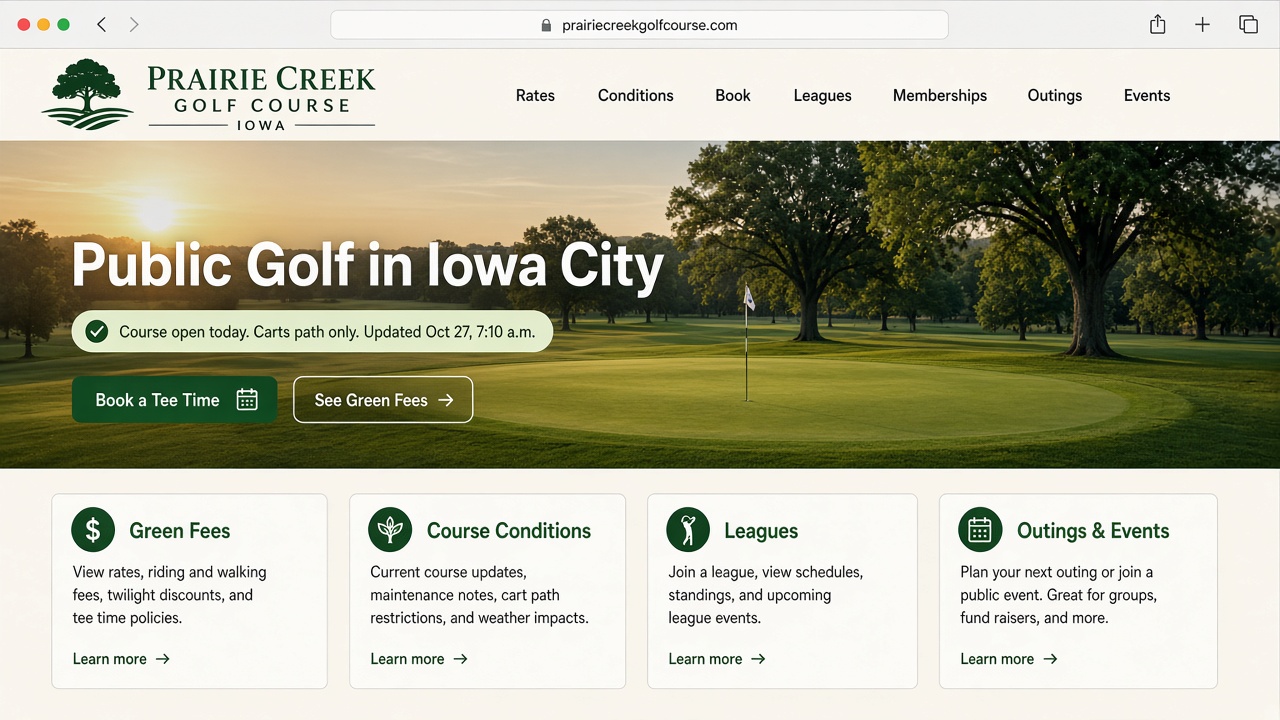
- Open or closed today, and the date and time you updated it
- Carts allowed, path only, or no carts
- Greens aerated recently, and when they will be back to speed
- Temporary greens or tees, closed holes, frost delays
- Range open or closed, and which tees are in use
- Season opening and closing dates, and how you announce them
A note like “Updated Oct 27, 7:10 a.m. Frost delay until 9. Carts path only on 4 through 7” saves the pro shop twenty phone calls. It also tells search and AI the course is open and run by someone paying attention. Make it something staff can update from a phone in one minute.
Memberships and season passes, with real numbers
Membership pages are usually “contact the pro shop for details.” Spell it out:
- Single, couple, family, senior, junior, and corporate passes, with prices
- What each includes: unlimited golf, cart, range, locker, guest rounds
- Whether you take payment plans and when dues are due
- The deadline for early-bird pricing, with a date
- What happens if you move or get hurt mid-season
A golfer deciding between two courses for the season will pick the one that told them the total up front. When someone asks an AI assistant “how much is a golf membership in Cedar Rapids,” the course that wrote it down gets named.
Leagues get their own page
Leagues are what keep a public course busy on a Tuesday night, and they are often buried in a Facebook post.
- Each league: night, start date, format, cost per week, and who it is for
- Men’s, women’s, couples, seniors, beginners, and juniors
- How to join as a single and get put on a team
- Handicap rules and whether you need one
- Dated signup deadlines and how many spots are left
A new-to-town golfer searching “golf league for beginners near me” is looking for exactly that page.
Outings, tournaments, and fundraisers
Charity outings and company scrambles are real money, and the planner is usually a volunteer who has never done one. Help them:
- Package prices per player, with what is included: green fee, cart, range, lunch, prizes
- Shotgun start minimum and maximum players
- Open dates for the season, with a date on the list
- Hole sponsor signs, contests, and what you handle versus what they handle
- Food and drink options with prices, and the bar rules
- A step-by-step timeline: book, deposit, final count, day of
“Planning a 4-person scramble fundraiser at our course: here is what it costs and how it works” is a page most of your competitors do not have.
Weddings and events in the clubhouse
If the clubhouse hosts weddings, showers, and funerals, give it its own pages with capacity, prices, menus, dates open, and photos from real events. Couples planning a wedding search for “golf course wedding venue Iowa” a year out.
Lessons, juniors, and the pro shop
- Who teaches, their background, and the price for a lesson or a series
- Junior camps with dates, ages, and cost
- Beginner clinics for adults who have never played
- Club fitting, regripping, and what the pro shop carries
- Gift cards and how to buy them online
A page called “Never played golf? Start here” is the one a nervous beginner needs, and almost no course writes it. Say what to wear, what to bring, what the dress code really is, and that nobody minds if you are slow on a weekday afternoon.
The scorecard and hole-by-hole in real text
Post the scorecard as text, not a scanned image: par, yardage from each tee, slope and rating. Add a sentence or two about each hole and your own photo of it. Golfers like to read about a course before they play it, and search and AI can read text but not a blurry scan.
Who is reading the site
A golfer on a phone at 6 a.m. checking if the course is open after the storm.
A retiree comparing season passes at three courses.
A volunteer planning the Rotary outing who needs a price per player by Friday.
A family new to town looking for junior camps.
Search engines and AI assistants. When someone asks ChatGPT, Gemini, Grok, or Google “cheapest 18 holes near Iowa City” or “golf course open today near me,” those tools look for plain facts on pages they can read. A drone video and a PDF give them nothing.
What the homepage has to say in the first screen
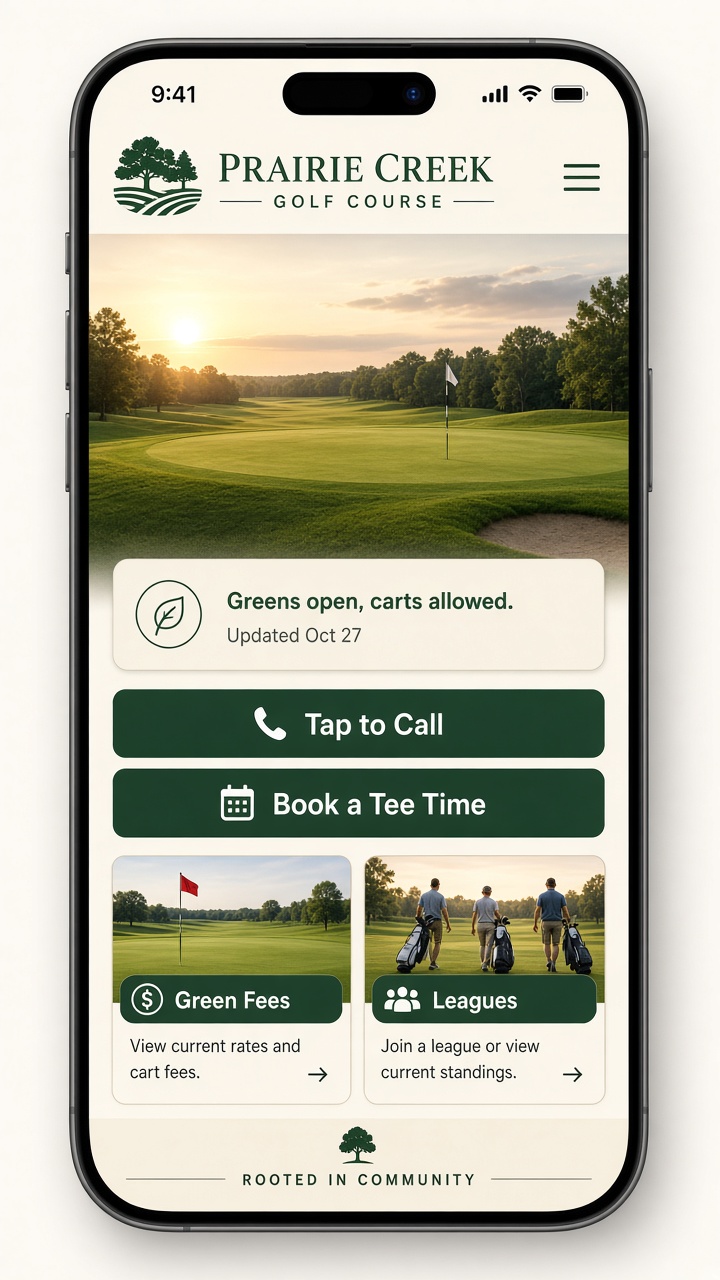
In plain HTML text, not baked into a graphic:
- Your course name, your town, and public, semi-private, or private
- Open today, with the conditions note and the date
- Green fees, or a link straight to the rates page
- Leagues, outings, and memberships, one line each
- Two clear buttons: Call, and Book a Tee Time
Proof in plain text
- How long the course has been there and who owns or manages it
- Real reviews on a page you own, plus a link to Google Business
- Outing planners’ notes, with permission, about how the day went
- Your own photos of your own course in every season
Do not invent course rankings, awards, or round counts. State what you can back up.
Content that feeds search and AI without theater
Useful posts for a golf course read like answers from the pro behind the counter:
- What aeration is and why the greens are bumpy for two weeks
- How much a charity golf outing costs to run in Iowa
- Golf for beginners: what to bring to your first round
- What the cart rules mean after a rain
- How to pick between a season pass and paying per round
- When the course opens in spring and why it depends on frost
Each one answers a real question with your own photo. Snap a picture of the frost on the 1st green, the new bunkers, or the junior camp, with permission. That is a post. That is the kind of page that gets a course named when a golfer asks an AI assistant where to play.
Why the website matters more now
Websites and SEO are changing. They still matter, and for a local course they matter more now. Bots now make a large share of web requests. Cloudflare’s Matthew Prince has said bots passed humans on Cloudflare’s network in mid-2026, about 57% bots and 43% humans. That counts HTTP requests, not hours of human attention. People still show up, pay the green fee, and buy a hot dog at the turn. More and more, ChatGPT, Gemini, Grok, and Google’s AI answers decide which courses a golfer hears about first. Those tools look for clear facts: what it costs, whether it is open, and how to book.
Your website should be the source of record. The tee-time app, Facebook, Google Business, and golf booking sites can all point back to it. Keep your true rates, conditions, leagues, and outing packages on a domain you own, not only inside a booking vendor’s page that you do not control.
Design rules that fit a golf course
- Fast on a phone: light pages, compressed photos, text first
- Call and Book a Tee Time one tap from any page
- Navigation: Rates, Conditions, Book, Leagues, Memberships, Outings, Events, Lessons
- Rates, conditions, and scorecard in real text, not images or PDFs
- A conditions note staff can update from a phone in one minute
- Your own photos of your own course, not stock fairways
- You own the domain, hosting, and content
What Upley does for golf courses
Upley builds and hosts websites for Iowa and Midwest businesses. For a golf course that means plain-text pages for green fees, a dated conditions note, memberships, leagues, outings, events, lessons, and the scorecard, plus an easy way to post photos from the course with a few words.
Same Iowa web team that ran Big Ten Web Design, handling design, hosting, and SEO, plus the modern layer so search and AI can find the true file about your course, what it costs, and when it is open.
If your current site is a drone video and a rates PDF, start with the homepage five facts, a rates page, and a conditions note. Then add leagues and the outing planner’s page.
Book 30 minutes
Thirty minutes. Iowa time. No deck.
Iowa City, Cedar Rapids, Quad Cities / Davenport