
v
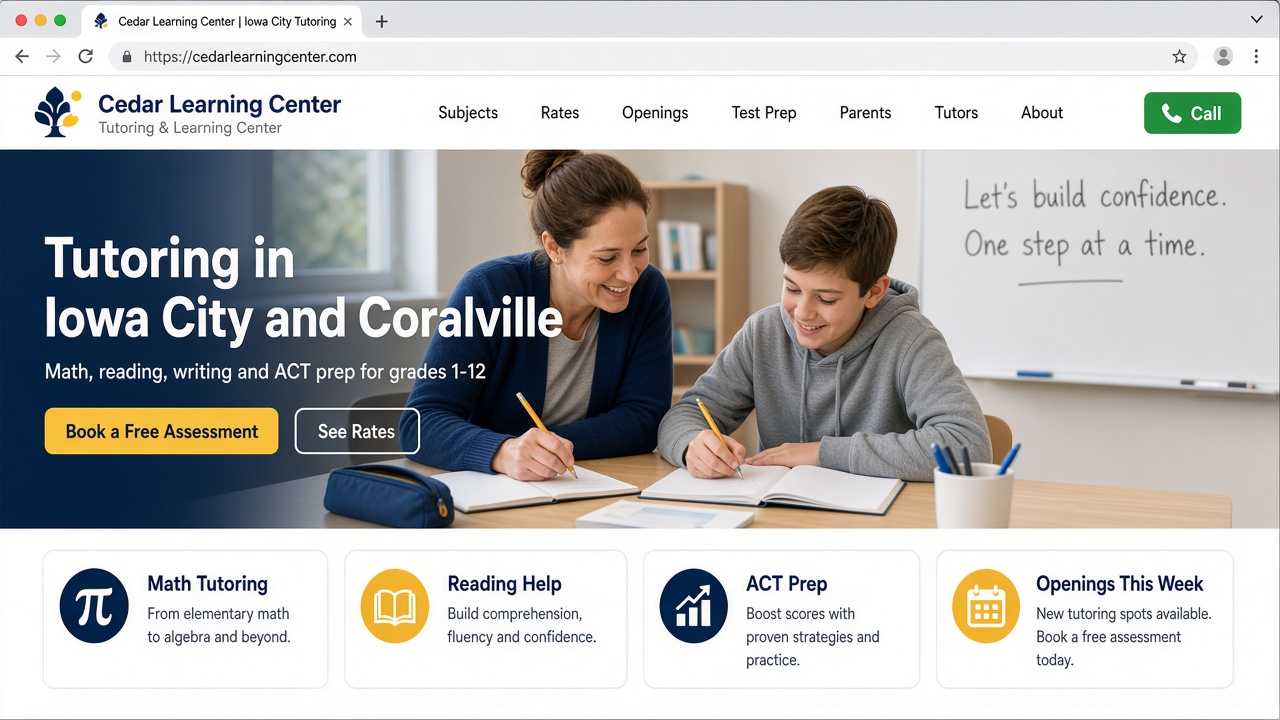
A tutoring center website should answer what a parent asks the night the report card comes home: can you help with this subject at this grade, what does it cost, when is there an opening, and how will we know it’s working. Put those answers in plain text on pages you own. That is the marketing. Design is the layout that makes it easy to read on a phone and easy for search and AI to cite.
Most local tutoring sites are a stock photo of a smiling kid with a pencil, the words “personalized learning,” and a contact form. The parent still has no idea what it costs or whether you have room on Tuesdays.
Rates, posted
Parents shopping for a tutor want a number before they call. Most centers hide it, and parents assume the worst. Post it:
- Price per session, and how long a session is
- Package prices: 8 sessions, 12 sessions, a semester
- One-on-one vs small group, and the price for each
- What the first assessment costs, or that it’s free
- What’s extra: test prep books, practice tests, travel to a home or library
- Cancellation rules, make-up sessions, and what happens over winter break
Use your own numbers and put the year on the page. A price with a date reads as honest.
A dated openings page
This is the page that fills the schedule. In August and January every parent calls at once. Put the answer where they can read it:
- Open time slots by day of the week, after school and weekends
- Which tutors have room, and for which subjects
- Whether there’s a waitlist for the busy hours
- When summer sessions open for sign-up
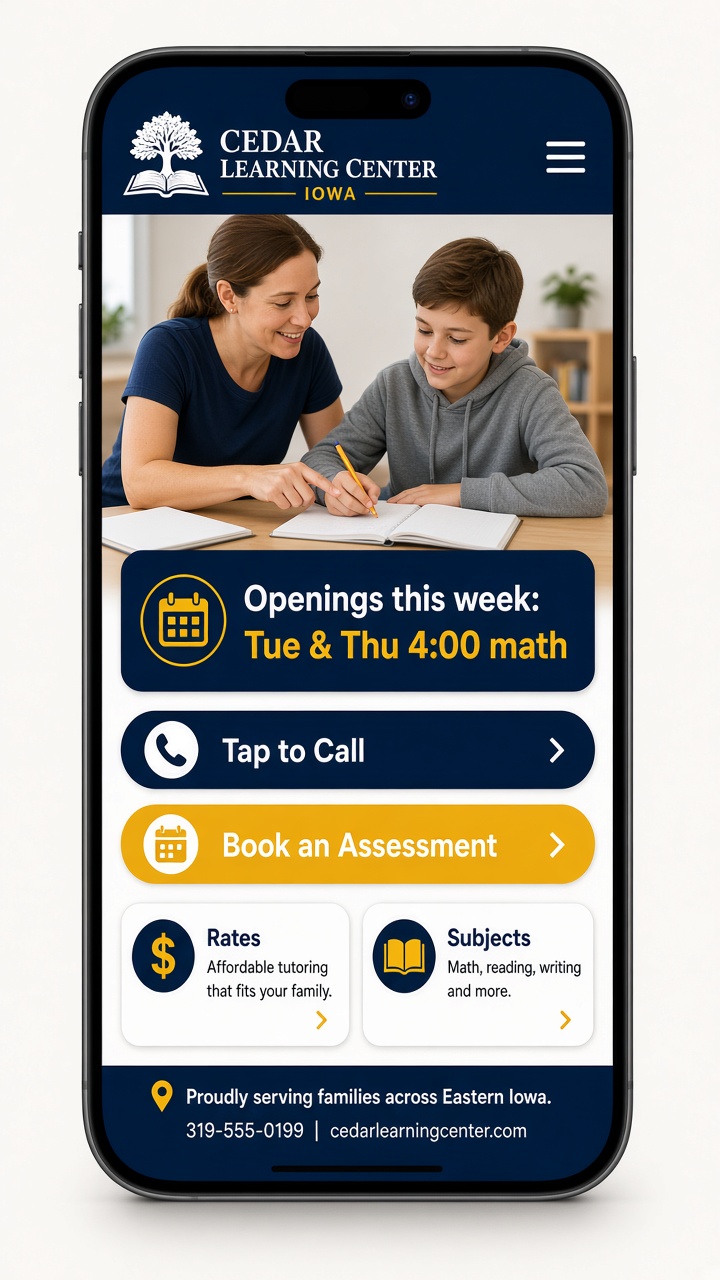
- One line at the top with the date: “Updated Monday, Jan. 12: Tuesday and Thursday 4:00 slots are open for middle school math. Saturday mornings are full.”
That one line answers the question an AI assistant gets when a parent types “math tutor near me with openings after school.”
Subjects and grades, by name
“All subjects, all ages” tells a parent nothing. List what you really teach:
- Each subject and the grades you cover: Algebra 1, Geometry, chemistry, reading for grades 1 to 5, writing for high school
- Which tutors teach which subjects, with their background
- Reading help for kids who are behind, and what that looks like week to week
- Study skills, organization, and homework help for kids who are capable but scattered
- College classes, if you take them
Specific beats broad. “We tutor Algebra 2 and precalculus for students at City High, West High, and Liberty High” is a line a parent trusts and a machine can repeat.
How you assess, said honestly
Parents are nervous about what happens in the first visit. Tell them:
- What the assessment is, how long it takes, and whether the parent stays
- What you look at: the report card, recent tests, homework, a short sit-down with the student
- What the parent gets after: a plain summary and a suggested plan
- How often you’d suggest sessions, and why
- When you’ll say tutoring isn’t the right fix
That last one matters. Some kids need an evaluation through the school, not a tutor. A center that says so plainly earns trust, and that fair answer is the kind of page that gets cited.
When is it time to get help? A page for parents
This is content most competitors have never written, and it’s what parents search late at night:
- Signs a student is falling behind in math, reading, or writing
- Grades slipping vs a kid who’s bored and coasting
- How to talk to the teacher first, and what to ask
- What the school can offer at no cost, and how to ask for it
- When it makes sense to bring in a tutor, and what to expect in the first month
When someone asks ChatGPT, Gemini, or Grok “does my kid need a tutor,” the answer gets built from pages like this. A clear, fair page gets your center named.
Test prep with dates
- Which tests you prep for: ACT, SAT, PSAT, AP exams, end-of-year tests
- Upcoming national test dates, linked to the official test site, with the date you last checked
- When your prep classes or sessions start for each test date
- Group class price vs one-on-one price
- How many practice tests are included, and how scores are reviewed
Don’t promise score jumps. Say what students do in prep, how often, and how you track it.
How progress gets reported
The question behind every renewal is “is this working?” Answer it on the site:
- How often parents hear from the tutor, and how: a short note after each session, a monthly summary
- What you track: grades, test scores, homework completed, the skills worked on
- How you adjust the plan if a student isn’t moving
- How you work with the classroom teacher, if the family wants that
Where and how sessions happen
- In the center, at the library, in the home, or online
- The towns and school districts you serve, by name
- Parking, drop-off, and whether parents can wait
- What students should bring
- Online sessions: what tech they need, and how it works
Who is reading the site
A dad the week after midterm grades, looking for a chemistry tutor before the final.
A mom whose second grader is behind in reading and the school said to “keep an eye on it.”
A junior who wants to raise an ACT score before the spring test date.
Search engines and AI assistants. When someone asks “reading tutor in Iowa City” or “ACT prep in Cedar Rapids,” those tools look for plain facts on pages they can read. “Personalized learning” gives them nothing.
What the homepage has to say in the first screen
In plain HTML text, not baked into a graphic:
- Your center name, your towns, and how long you’ve been tutoring
- The subjects and grades you cover
- Openings this week, with the date
- Rates, or a link to them one tap away
- Two clear buttons: Call, and Book an Assessment
Proof in plain text
- Who the tutors are, with real photos, what they studied, and how long they’ve taught
- Background checks and training, stated plainly
- Real reviews from parents and students on a page you own, plus a link to Google Business
- Plain student stories, with permission: what the problem was, what you worked on, how it went
Don’t invent pass rates or score averages. State what you can back up.
Content that feeds search and AI without theater
Useful posts for a tutoring center read like answers from the tutor across the table:
- How do I know if my kid needs a tutor?
- What to do when your child is behind in reading in second grade
- When should a junior start ACT prep?
- How to help with math homework when you don’t remember the math
- Five study habits that help before finals week
- What a first tutoring assessment looks like
Each one answers a real question with your own photo. Take a picture of the whiteboard after a geometry session, or the reading corner set up for the week. That’s a post. That’s how a local tutoring center gets named when someone asks an AI assistant where to go.
Why the website matters more now
Websites and SEO are changing. They still matter, and for a local tutoring center they matter more now. Bots now make a large share of web requests. Cloudflare’s Matthew Prince has said bots passed humans on Cloudflare’s network in mid-2026, about 57% bots and 43% humans. That counts HTTP requests, not hours of human attention. Parents still call and still pay. More and more, ChatGPT, Gemini, Grok, and Google’s AI answers decide which centers a family hears about first. Those tools look for clear facts: what you teach, what it costs, and when you have room.
Your website should be the source of record. Facebook, school newsletters, Google Business, and booking tools can all point back to it. Keep your true rates, openings, subjects, and towns on a domain you own.
Design rules that fit a tutoring center
- Fast on a phone: parents check it in the school pickup line
- Call and Book an Assessment one tap from any page
- Navigation: Subjects, Rates, Openings, Test Prep, Parents, Tutors, About
- Rates, openings, and subjects in real text, not images or PDFs
- Your own photos of your own tutors and rooms, not stock kids with pencils
- You own the domain, hosting, and content
What Upley does for tutoring and learning centers
Upley builds and hosts websites for Iowa and Midwest businesses. For a tutoring center that means plain-text pages for posted rates, a dated openings page, subjects and grades by name, an honest assessment page, a when-to-get-help page for parents, test prep with dates, progress reporting, and an easy way to post a photo and a few words after a good week.
Same Iowa web team that ran Big Ten Web Design, handling design, hosting, and SEO, plus the modern layer so search and AI can find the true file about your center, what you teach, and when you have room.
If your current site is a stock photo and a contact form, start with the homepage five facts and a dated openings page. Then add the rates page and the when-to-get-help page.
Book 30 minutes
Thirty minutes. Iowa time. No deck.
Iowa City, Cedar Rapids, Quad Cities / Davenport