
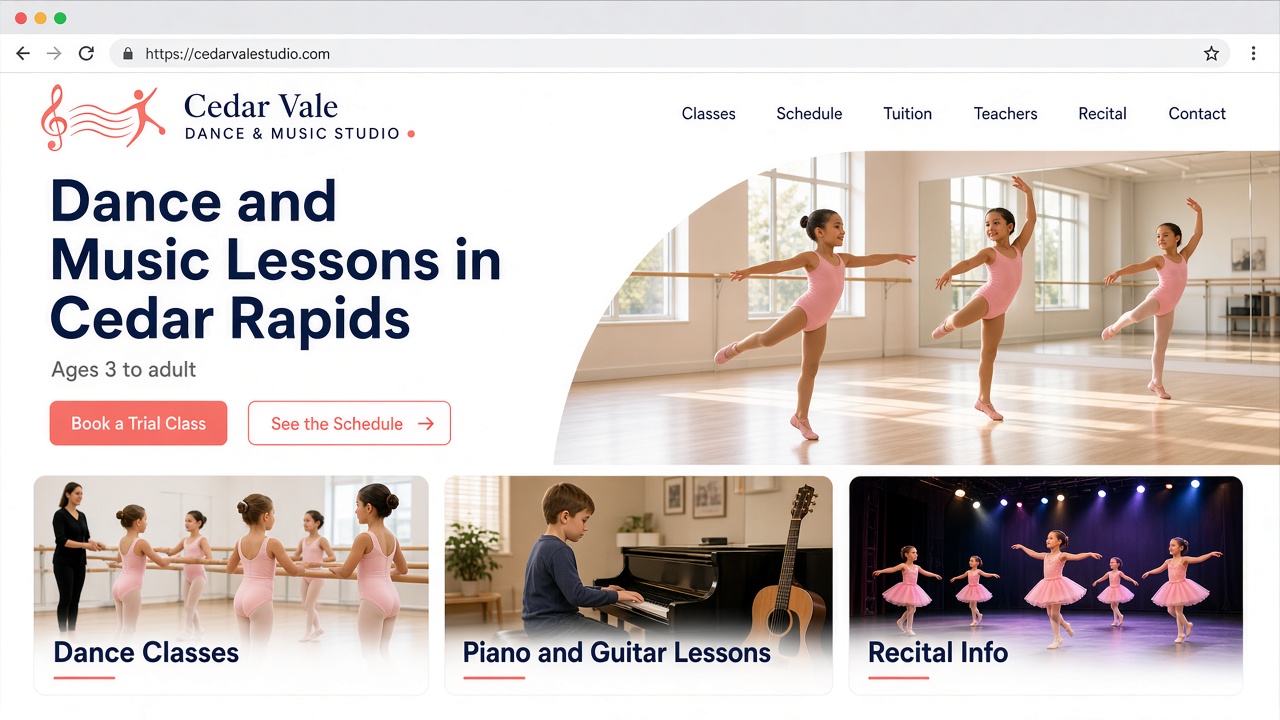
A music or dance studio website has one job: help a parent find the right class for their kid, see what it costs, and sign up without three phone calls. Put the schedule by age and level, tuition and fees, what a trial class looks like, recital costs, and who teaches in plain text on a site you own. That is the marketing. Design is making the schedule easy to read on a phone and keeping the words where search and AI can read them.
Most studios run on Facebook posts and a registration portal. Those are useful. But a portal login page does not tell a new parent if there is a 6-year-old ballet class on Tuesdays, or what the recital costume will run. The studio whose site answers that plainly usually gets the enrollment.
Who is reading the site
Studio websites get a few kinds of readers.
Parents of young kids. They want to know what age you start, which day and time works with their schedule, what it costs per month, and whether their kid can try a class first.
Parents of older students. They are thinking about competition teams, more classes per week, private lessons, or a teacher who can get their kid ready for a high school audition.
Adults. Adult tap, beginner piano at 45, guitar lessons after work. They want to know they will not be the only grown-up in the room and that evening times exist.
Current families. They come back for the calendar, closure days, recital dates, costume fees, and the dress code. If that is easy to find, your front desk gets fewer texts.
Search engines and AI assistants. When someone asks ChatGPT, Gemini, Grok, or Google for kids dance classes in Marion or piano lessons near Bettendorf, those tools look for plain facts on pages they can read. A schedule saved as a PDF or an image gives them very little.
What the homepage has to say in the first screen
In plain HTML text, not baked into a graphic:
- What you teach: dance styles, instruments, voice, or both music and dance
- Ages you teach, from youngest to adults
- The town and the street you are on, with parking notes if they matter
- One clear button: Book a Trial Class (or Request a Lesson)
- When enrollment opens or whether classes have openings right now
Keep the big photo of students in the studio. Just put the words on top of it or beside it as real text.
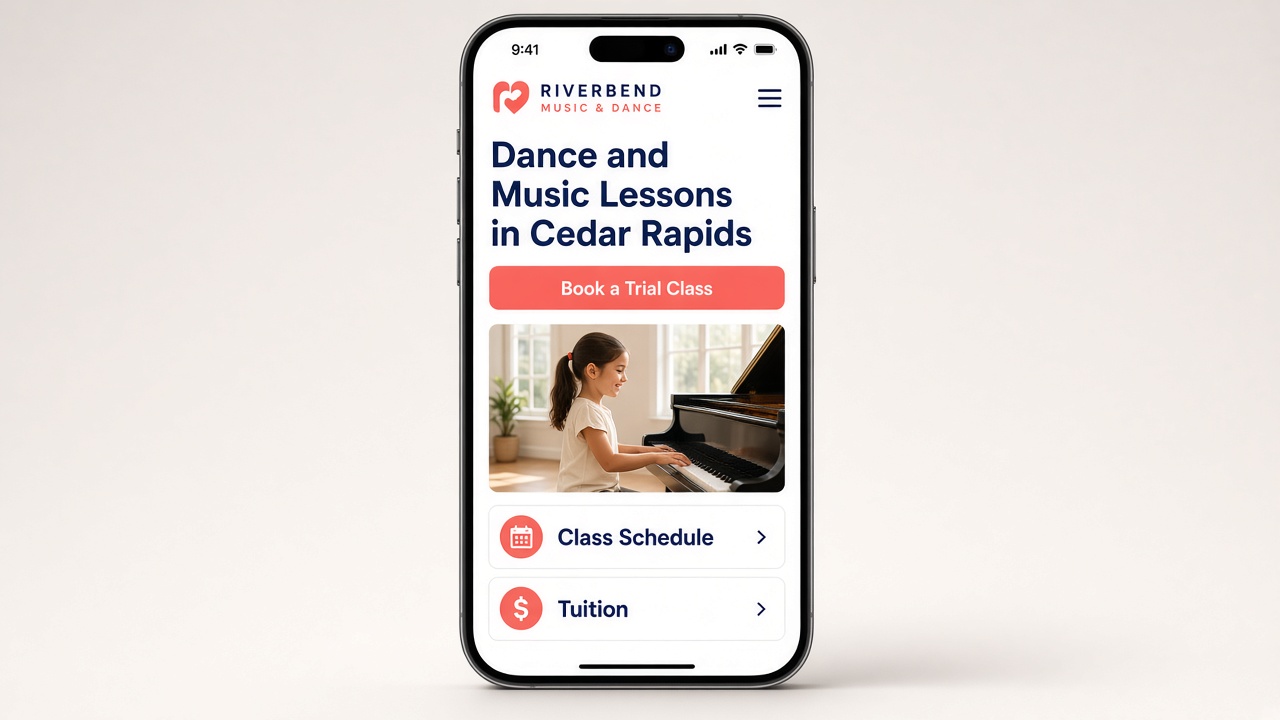
A class schedule people can actually read
This is the page parents look at most, and the page most studios put in a PDF.
- A schedule page in real text, sorted by age group and level
- For each class: day, time, length, age range, level, teacher, and room
- A note on which classes are full and which have openings, kept current
- Season dates: when fall classes start, breaks, and the last class before recital
- A short “which class is right for my child” guide for new families
If you also want a printable PDF, fine. Link it from the page. Do not make it the only copy.
Tuition and what it covers
Parents compare studios on cost. Make it easy.
- Monthly or per-term tuition by number of classes per week
- Registration fee, and when it is due
- Sibling or multi-class discounts
- Private lesson rates by length: 30, 45, or 60 minutes
- Recital fee and an honest range for costume costs
- Competition team costs, travel, and extra rehearsals, on their own page
- How missed lessons, make-ups, and withdrawals work
You do not have to post every number. But “classes start at” and “private lessons from” bring in families who are ready to sign up.
What the first class or lesson looks like
New families worry about the first day. Write it down once.
- What to wear and what shoes to buy, with a link to where locals get them
- What to bring to a first music lesson: books, instrument, nothing at all
- Whether parents stay in the room, watch through a window, or wait in the lobby
- How long a trial class is and what it costs, if anything
- What happens after: how you place a student in the right level
A clear first-day page saves you the same phone call every week in August.
Teachers, on their own page
Parents are trusting you with their kids. Show who is in the room.
- A short bio for each teacher: what they teach, their training, and how long they have taught
- A real photo, not a stock dancer
- Which ages and levels each teacher works with
- Your safety basics, written plainly: background checks, how pick-up works, who is in the building
Recitals, events, and the yearly calendar
- Recital dates, the venue, ticket info, and dress rehearsal times
- Costume due dates and fees
- Studio closures for holidays and snow days, and how you tell families
- Summer camps, workshops, and intensives with their own sign-up pages
- Past recital photos, with the families’ okay
A recital page with the date, the venue, and the costume deadline saves your desk from fifty texts in April.
Make sign-up easy
- A Book a Trial Class button on the homepage and every class page
- A short inquiry form that asks for the student’s age, what they want to learn, and which days work
- Registration through your studio software, linked from your site, with the info pages kept on your own domain
- A clear reply time: “we answer within one business day”
If you use a studio management tool for billing and attendance, that is fine. The tool can change. Your schedule, tuition, and policy pages should stay on your site.
Proof that belongs on a URL you own
- Photos and short videos from real classes and recitals, with permission
- Notes on what students have done: passed a music exam, made a school show, danced at a community event, if the family is fine sharing it
- Reviews from real families, quoted only with permission, and a link to your Google Business listing
- Your studio name, address, and phone written the same way everywhere
A page titled “Spring recital at the Paramount, Cedar Rapids” says more to a parent, and to a search engine, than a page called Gallery.
Content that feeds search and AI without theater
Good pages for a studio read like answers you give at the front desk:
- What age should my child start dance, piano, or violin
- Ballet, tap, jazz, or hip hop: which class fits a first-timer
- How much practice a beginner piano student should do each week
- What recital week looks like, start to finish
- Do we need to buy an instrument, or can we rent one locally
- Adult beginner classes: what to expect
Each one answers a real question. Add a few photos from your own studio. That is the kind of page that gets a studio named when a parent asks a phone assistant where to sign their kid up.
Why the website matters more now
Websites and search are changing. They still matter, and for studios they matter more now. Bots now make a large share of web requests. Cloudflare’s Matthew Prince has said bots passed humans on Cloudflare’s network in mid-2026, about 57% bots and 43% humans. That counts HTTP requests, not hours of human attention. Parents still sign kids up for lessons, and they still look first. More and more, ChatGPT, Gemini, Grok, and Google’s AI answers decide which studios a parent hears about. Those tools look for clear facts: what you teach, which ages, where, what it costs, and how to start.
Your website should be the source of record. Facebook, Instagram, Google Business, and your registration portal can all point back to it. Keep the true schedule, tuition, teachers, and policies on a domain you own.
Design rules that fit a studio
- Big, bright photos of real students and rooms, compressed so pages load fast
- Large headings and a Book a Trial Class button near the top of every page
- Navigation: Classes, Schedule, Tuition, Teachers, Recital, Contact
- The schedule and tuition in real text, not images or PDFs, so search and AI can read them
- Schedule, openings, and closures easy for you to update without calling a developer
- You own the domain, hosting, and content, not a template company or the studio software vendor
What Upley does for music and dance studios
Upley builds and hosts websites for Iowa and Midwest service businesses. For a studio that means a clean first screen, a real-text schedule sorted by age and level, a plain tuition page, a first-day page for new families, a recital page, and sign-up that works on a phone. We also make it easy to post a few photos from class or recital with a short caption to your website, social, and Google Business.
Same Iowa web team that ran Big Ten Web Design, handling design, hosting, and SEO, plus the modern layer so search and AI can find the true facts about your business.
If your current site is a homepage, a PDF schedule, and a portal link, start with the five first-screen facts, a real-text schedule page, and a tuition page. Then add the first-day page before fall enrollment opens.
Book 30 minutes
Thirty minutes. Iowa time. No deck.
Iowa City, Cedar Rapids, Quad Cities / Davenport