
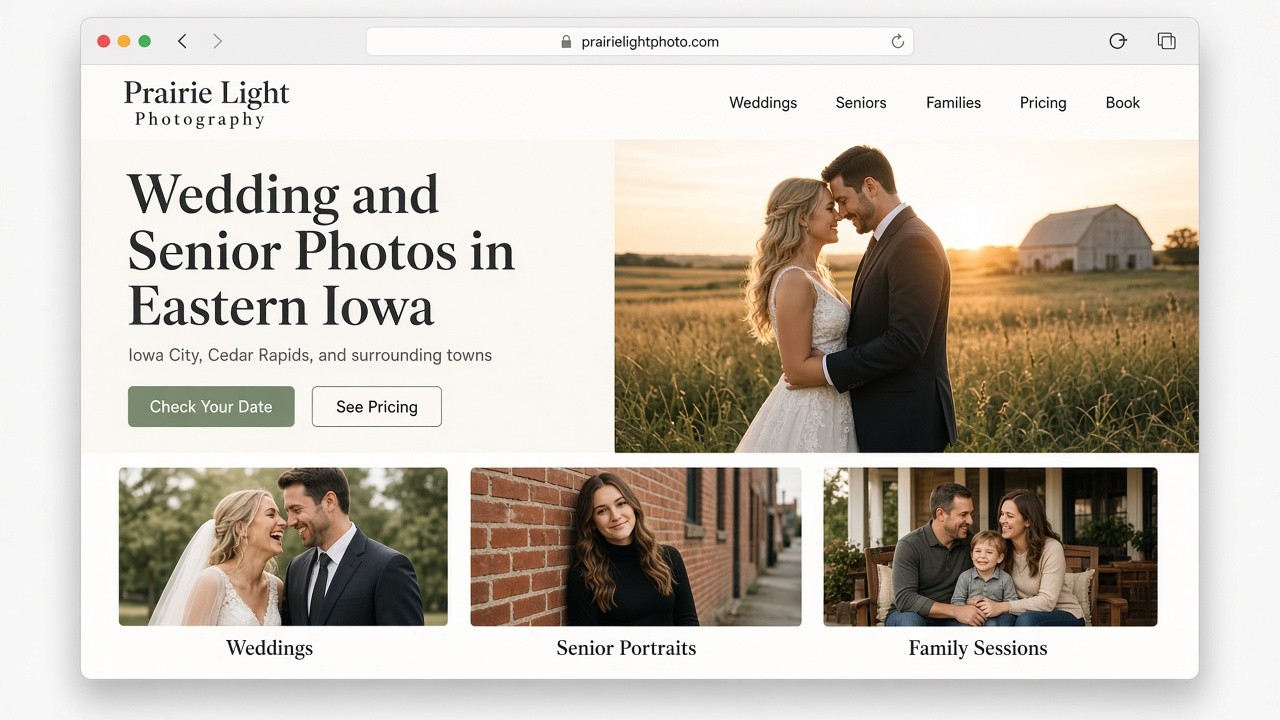
A photographer’s website has one job: help someone see your work, know what it costs, and check if you are open on their date. Put the galleries, starting prices or package ranges, the towns you cover, what a session includes, and how photos get delivered in plain text on a site you own. That is the marketing. Design is making the photos look good on a phone and keeping the words where search and AI can read them.
Most photographers lean on Instagram and Facebook. That is fine for showing new work. But a feed does not answer the questions people ask before they book. How much is a senior session? Do you travel to Tipton? How long until we get our wedding photos? The photographer whose site answers those plainly usually gets the inquiry.
Who is reading the site
Photographer websites get a few kinds of readers.
Couples planning a wedding. They want to see full weddings, not just best shots. They want to know your date is open, what the packages cost, and whether you shoot the whole day.
Parents of high school seniors. They are comparing three or four local photographers on a phone. They want a price, a look at your style, and how many outfits and locations fit in a session.
Families booking a yearly session. Fall mini sessions, holiday cards, a newborn. They want dates, a price, and a quick way to sign up.
Businesses. Headshots for a staff page, product photos, or a real estate listing. They want turnaround time, usage rights, and an invoice.
Search engines and AI assistants. When someone asks ChatGPT, Gemini, Grok, or Google for a senior photographer in Cedar Rapids or a wedding photographer near Davenport, those tools look for plain facts on pages they can read. A gallery with no words gives them almost nothing.
What the homepage has to say in the first screen
In plain HTML text, not baked into an image:
- What you shoot, in a few words: weddings, seniors, families, headshots, or whatever your core work is
- The towns and counties you cover, and whether you travel farther
- A starting price or “packages from” line
- One clear button: Check Your Date
- A way to reach you, with how fast you usually reply to inquiries
Keep the big photo. Just make sure the words sit on top of it or beside it as real text, so they load fast and machines can read them.
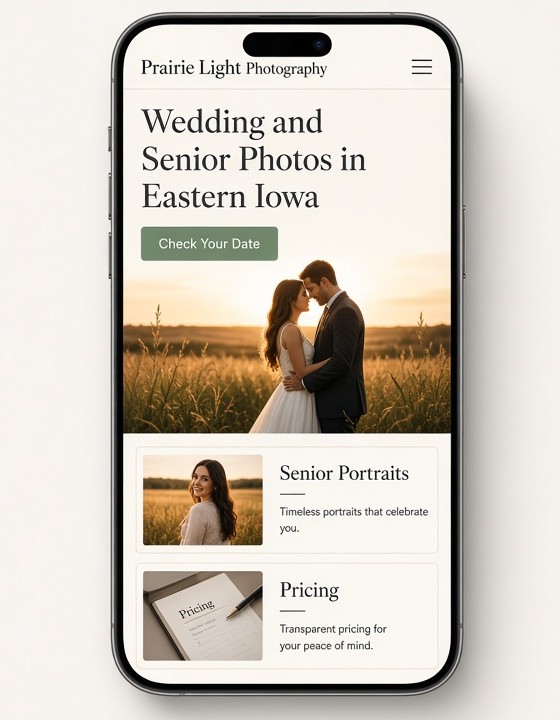
Galleries by session type
One long portfolio page of mixed work makes people hunt. Split it up.
- A page for each kind of session: weddings, seniors, families, newborns, engagements, headshots, events
- A few full sessions or full weddings, not only the top ten shots, so people see how you handle a whole day
- A short note with each gallery: the town, the location or venue, the season, and the type of session
- Photos sized for the web so pages load fast on a phone
- Alt text that says what is in the photo in plain words
Getting the client’s okay before posting their photos is the right thing to do. A short line in your contract about sharing photos covers most of it.
Pricing and what is included
This is the page most photographers skip and most clients look for first.
- Starting prices or honest ranges for each session type
- What each package includes: hours, number of locations, outfit changes, number of edited images
- Travel fees and how far you go before they apply
- Deposit or retainer amount and when the balance is due
- Add-ons: second shooter, albums, prints, rush editing
- How rescheduling works if it rains or someone gets sick
You do not have to post every number. But “senior sessions start at” and “wedding packages from” filter out the wrong fits and bring in people who are ready to book.
How it works after the session
Clients worry about the after part. Write it down once.
- How long editing takes for each session type, given as a normal range you actually hit
- How photos are delivered: online gallery, download, prints
- How long the gallery stays up, and when they should download a backup
- What print rights they get, and what you keep
- How to order prints or albums later
A clear “what happens after your session” page saves you the same five emails every week.
Make booking easy
- A Check Your Date form on the homepage and every session page
- An inquiry form that asks for date, session type, town or venue, and how they found you
- Mini session dates listed on their own page with a sign-up link
- A booking or contract tool connected to your site, with the info pages kept on your own domain
If you use a client management tool for contracts and galleries, that is fine. The tool can change. Your pricing, galleries, and FAQ pages should stay on your site.
Proof that belongs on a URL you own
- Full galleries from real sessions and weddings, with the client’s okay
- A short story with each wedding: the venue, the town, the weather, what made the day theirs
- Reviews from real clients, quoted only with permission, and a link to your Google Business listing
- Your name, business name, and phone written the same way everywhere
A gallery titled “October barn wedding near Solon” says more to a couple, and to a search engine, than a page called Portfolio.
Content that feeds search and AI without theater
Good pages for a photographer read like answers you give in every first email:
- What to wear for senior pictures in the fall
- Best places for family photos in Iowa City or Cedar Rapids, and which ones need a permit
- How long a wedding photographer should stay on the day
- When to book senior photos, and why late summer and fall fill up
- What to do if it rains on session day
- How to plan a wedding day timeline around golden hour
Each one answers a real question. Use a few of your own photos with it. That is the kind of page that gets a photographer named when someone asks a phone assistant who to call.
Why the website matters more now
Websites and search are changing. They still matter, and for photographers they matter more now. Bots now make a large share of web requests. Cloudflare’s Matthew Prince has said bots passed humans on Cloudflare’s network in mid-2026, about 57% bots and 43% humans. That counts HTTP requests, not hours of human attention. People still book photographers, and they still look first. More and more, ChatGPT, Gemini, Grok, and Google’s AI answers decide which photographers a client hears about. Those tools look for clear facts: what you shoot, where, what it costs, and how to book.
Your website should be the source of record. Instagram, Facebook, Google Business, and wedding directories can all point back to it. Keep the true galleries, prices, service area, and policies on a domain you own.
Design rules that fit a photographer
- Big photos, fast pages. Compress images and lazy-load the galleries
- Large headings and a Check Your Date button near the top of every page
- Navigation: Weddings, Seniors, Families, Pricing, About, Book
- Real words on every page, not just images, so search and AI have something to read
- Pricing and mini session dates easy for you to update without calling a developer
- You own the domain, hosting, and content, not a template company or a former assistant
What Upley does for photographers
Upley builds and hosts websites for Iowa and Midwest service businesses. For a photographer that means a clean first screen, galleries split by session type with short notes, a plain pricing page, an after-the-session page, a date check that works on a phone, and fast hosting that handles big images and daily crawls. We also make it easy to post a few photos from a session with a short caption to your website, social, and Google Business.
Same Iowa web team that ran Big Ten Web Design, handling design, hosting, and SEO, plus the modern layer so search and AI can find the true facts about your business.
If your current site is one big portfolio and a contact form, start with the five first-screen facts, a pricing page, and one gallery page per session type. Then add the after-the-session page before senior season fills up.
Book 30 minutes
Thirty minutes. Iowa time. No deck.
Iowa City, Cedar Rapids, Quad Cities / Davenport